
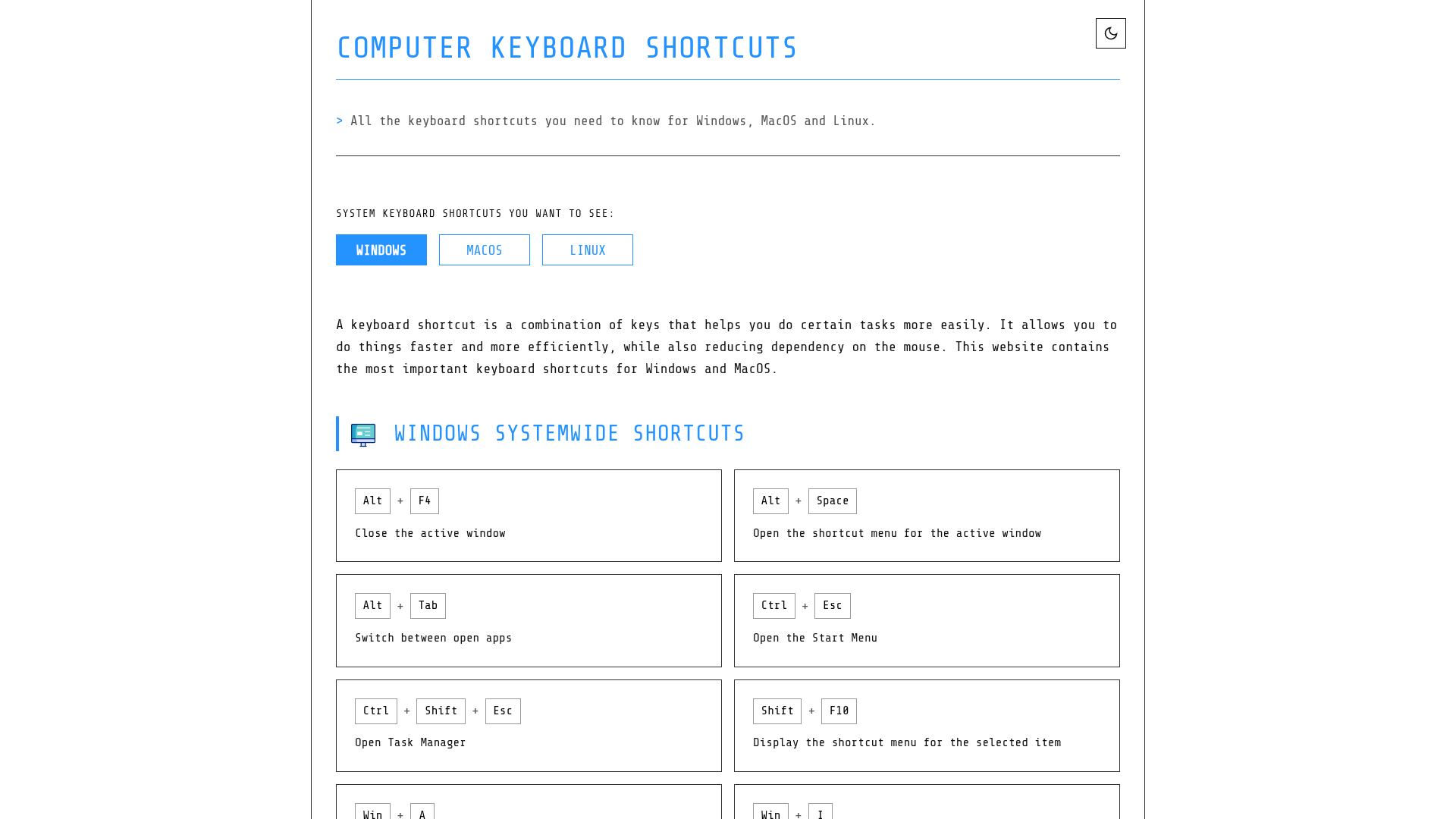
Computer Keyboard Shortcuts is a comprehensive online resource dedicated to providing essential keyboard shortcuts for Windows, macOS, and Linux operating systems. Its primary purpose is to empower users to enhance their productivity and efficiency by reducing mouse dependency and streamlining common tasks.
This platform is ideal for anyone looking to master their computer, from casual users to power users, developers, and IT professionals who want to navigate their systems and applications faster.
Key Features
- Extensive collection of system-wide shortcuts for Windows, macOS, and Linux.
- Application-specific shortcuts for common tools like Command Prompt, File Explorer, and Web Browsers.
- Dedicated sections for text editing, virtual desktops, and terminal commands.
- Downloadable cheatsheets in PDF and PNG formats (Dark/Light themes).
- User-friendly, accessible, and responsive design for all devices.
- Regularly curated and updated content for accuracy.
Use Cases
Imagine a scenario where a content creator needs to quickly switch between multiple applications, manage virtual desktops, and perform text edits without constantly reaching for their mouse. Computer Keyboard Shortcuts provides the exact hotkeys needed for these tasks, such as Alt+Tab for app switching on Windows, Cmd ⌘+Ctrl+F for full-screen mode on macOS, or Ctrl+Alt+D to minimize all windows on Linux. This significantly speeds up their workflow, allowing them to focus more on creation and less on navigation.
For developers or system administrators, the detailed Command Prompt and Terminal shortcuts are invaluable. They can quickly re-execute commands, navigate history, and manipulate text within the command line using shortcuts like !! or Ctrl+U, drastically improving their command-line efficiency. Similarly, students and office workers can leverage text editing shortcuts like Ctrl+A (select all), Ctrl+B (bold), and Ctrl+Z (undo) to draft documents and presentations with greater speed and precision.
Pricing Information
Computer Keyboard Shortcuts is a completely free online resource. There are no hidden costs, subscriptions, or premium features. Users can access all content, including downloadable cheatsheets, without any charge, making it an accessible tool for everyone.
User Experience and Support
The website boasts an accessible and responsive design, ensuring a seamless user experience across desktops, tablets, and mobile devices. Its clear structure with distinct sections for each operating system and application makes finding specific shortcuts straightforward. While direct user support is not explicitly mentioned, the platform encourages users to "think of a keyboard shortcut really hard" to request new software, implying a unique, albeit unconventional, feedback mechanism. The content is curated for accuracy, though users are advised to verify with their specific software versions due to potential updates.
Technical Details
The website is presented as a static content resource, implying a lightweight and efficient architecture. No specific programming languages, frameworks, or technologies are explicitly mentioned, but its responsive design suggests modern web development practices. The focus is entirely on delivering information effectively rather than complex interactive features.
Pros and Cons
- Pros:
- Comprehensive coverage for Windows, macOS, and Linux.
- Free access to all content and downloadable cheatsheets.
- User-friendly and responsive design.
- Enhances productivity and reduces mouse dependency.
- Curated for accuracy.
- Cons:
- No direct user support channels mentioned.
- Relies on "mental messages" for feature requests.
- Accuracy might vary with rapid software updates.
- No interactive learning tools or customization options.
- Limited to keyboard shortcuts, not broader software tutorials.
Conclusion
Computer Keyboard Shortcuts serves as an indispensable guide for anyone aiming to master their operating system and applications through efficient keyboard navigation. Its extensive, free resources make it a valuable asset for boosting productivity across various user levels. Explore the website today to unlock your full computing potential.
Comments
Achievement


Publisher

Launch Date2026-05-03
Platformweb
Pricingfree
Tech Stack
#web
Sponsors

Boost Domain Rating
Get high-quality backlinks from trusted directories and climb your Ahrefs Domain Rating faster

Nick Launches
A launch platform for builders —> Get discovered, get a backlink.
Allwebforms
Build free online forms, surveys, and lead funnels with Allwebforms. No-code builder with AI, email alerts, and 300+ integrations. Advanced Visitor analysis, notifications, Online visitors, Submission-started notifications, and more.
Become a Sponsor
Get your brand featured here
Outbid
View🥇 🥈
🥈 🥉
🥉
Want this spot? Pay what you wantBoost Domain Rating - Boost Domain Rating is a platform to discover and upvote the best tech products. Find top products launching daily.
Boost Domain Rating is a platform to discover and upvote the best tech products. Find top products launching daily.
$35
DirEasy - The Best Directory Boilerplate with AI | DirEasy
The best directory boilerplate, packed with AI, Listings, Payment, Submission, CMS, Blog, Authentication, Newsletter, SEO and more.
$30
Quiz Shot - Solve Any Screenshot Question in Seconds.
AI Study Assistant that answers any screenshot question. Get free AI tutor and step-by-step math and homework help with ChatGPT.
$25