Ophixor Review - Visual Web Apps Without Backend Code
An honest Ophixor review covering its visual web development model, data models, expressions, actions, Canvas and WebSockets, plus pricing, export limits and beta caveats.
20 min read
Push your saas project to the world. Discover and support indie products. Submit, Earn a Badge & High DR Backlink
Submit Your Startup to 100+ Directories | Submitator
Automated startup directory submission service. Get listed on Product Hunt, BetaList, Indie Hackers & 100+ directories for SEO backlinks and DR boost. From $29.

Boost Your Domain Rating — DoFollow Backlinks (DR 30–70) from $30
Raise your Ahrefs Domain Rating with 5 - 50 dofollow backlinks from DR 30–60 sites — from $50, guaranteed to improve your DR or your money back.

DirEasy - The Best Directory Boilerplate with AI | DirEasy
The best directory boilerplate, packed with AI, Listings, Payment, Submission, CMS, Blog, Authentication, Newsletter, SEO and more.
Quiz Shot - Solve Any Screenshot Question in Seconds.
AI Study Assistant that answers any screenshot question. Get free AI tutor and step-by-step math and homework help with ChatGPT.
Quiz Boost - Invisible AI for Proctored Exams.
Quiz Boost works seamlessly with Canvas, Blackboard, Moodle, Schoology, and more. Get intelligent assistance that's completely undetectable by standard LMS monitoring.

allentown
The best Nextjs SaaS boilerplate - https://t.co/Ovnu9Do4HE A powerful AI-powered directory boilerplate - https://t.co/nvavdYLYDB ALL-In-One AI ChatGPT Copilot - https://t.co/jzVKjEj3Tj

DF Tube New (Distraction Free for YouTube™) - Chrome Web Store
Allow yourself to focus while using YouTube™ for work, recreation or education.
SEOFarmer — You Shipped. Now Grow Traffic.
SEOFarmer turns real search data, market signals, community conversations, site health and launch opportunities into prioritized Growth Missions you can act on and track.

OrinCal - Calorie CounterAbout this appOrinCal is a free calorie counter and food diary that doesn't ask for anything.No account. No sign-up. No email. No data going anywhere except your own phone. You open it, log your food, and you're done. Everything stays on your device.Most calorie apps want your email, your weight, your goals, and then put the good features behind a paywall. OrinCal skips all of that.WHAT YOU GET260 everyday foods already loaded in: meals, snacks, cereals, fruit, drinks. Search, tap, done. Or add your own if something's missing.Log by portion or grams. Check your history in the calendar. Dark mode for logging at night without blinding yourself. Works offline, always, no internet needed.No onboarding flow. No syncing. No "complete your profile" screen.ABOUT THE ADSYes, there are ads. Small ones, infrequent. The app is free and that's how it stays free. No subscription, no premium tier, just a small banner every now and then.WHO MADE THISOne person. I got frustrated with calorie apps that required accounts, cost money, or quietly collected data in the background. So I built this instead.It's not trying to be the next big fitness platform. It's a calorie counter and food diary for people trying to lose weight, eat better, or just stay mindful of what they eat, without handing over their data to do it.If that sounds like what you've been looking for, give it a try.
Apogee Watcher is a comprehensive SaaS platform designed for agencies and solopreneurs to automate PageSpeed monitoring and Core Web Vitals tracking. It provides actionable insights, performance budgeting, and white-label reporting to help improve website performance and user experience. This tool is specifically tailored for technical leads, freelance developers, consultants, and in-house SEO/marketing teams managing multiple client websites or their own web properties.

AutoCRM is an AI-powered CRM platform designed to automate sales processes, eliminating manual data entry and ensuring no lead or deal is ever missed. It acts as an intelligent teammate, monitoring communications and taking proactive actions to streamline sales workflows.This SaaS is ideal for sales teams, including real estate agencies, B2B service companies, and insurance & financial services, who want to boost productivity, improve deal visibility, and close more sales without the burden of traditional CRM data entry.Key Features:Zero Data Entry: AI automatically reads emails and WhatsApp, creates contacts, updates deals, and logs all interactions.Never Loses Context: Maintains a complete, threaded history of every conversation and detail for each relationship.Complete Transparency: Provides visibility into AI analysis, proposed actions, and reasoning, avoiding black-box automation.Automated Pipeline Management: Offers an intuitive Kanban board that updates automatically based on communications.Unified Search: Instantly search across all emails, WhatsApp messages, and contact details.Official WhatsApp API Integration: Seamlessly integrates with WhatsApp for comprehensive communication tracking.Use Cases:AutoCRM significantly benefits sales teams by transforming how they manage leads and deals. For Real Estate Agencies, it ensures that with multiple agents and long sales cycles, no potential buyer falls through the cracks, automatically tracking interactions and follow-ups. B2B Service Companies can leverage AutoCRM to manage proposals, follow-ups, and contract negotiations effortlessly, allowing sales reps to focus on building client relationships rather than administrative tasks. In Insurance & Financial Services, its privacy-first architecture ensures sensitive communications are handled appropriately while maintaining a transparent sales process, helping agents stay organized and compliant.Pricing Information:AutoCRM offers a flexible pricing model, starting with a Free plan for individuals, which includes 10 emails per day and one email account sync. Paid plans, available monthly or annually, offer increased email/chat sessions, multiple email accounts, and WhatsApp integration. All paid plans include a 14-day free trial, with no credit card required to start the free trial.User Experience and Support:The platform is designed for ease of use, aiming to simplify the sales process rather than complicate it. Its intuitive Kanban board for pipeline management and unified search functionality contribute to a seamless user experience. While specific documentation or tutorial details aren't provided, the emphasis on "seeing is believing" suggests a focus on practical demonstrations and an easy setup process (5 minutes). Priority support is available with the annual plan.Technical Details:AutoCRM leverages advanced AI agents to analyze communications and automate CRM tasks. It is an Official Meta Technology Provider and offers Official WhatsApp API Integration, ensuring robust and reliable communication tracking. The "Iron Dome" feature highlights its capability to filter spam and noise, indicating sophisticated backend processing.Pros and Cons:Pros:Eliminates manual CRM data entry, saving significant time for sales reps.Ensures no leads or deals are missed through automated tracking and follow-up suggestions.Provides complete visibility into sales activities for managers.Integrates seamlessly with email and WhatsApp for comprehensive communication capture.Offers transparent AI reasoning, building trust in automation.Flexible pricing with a free tier and free trial for paid plans.Cons:Specific details on customization options are not explicitly mentioned.Potential learning curve for teams transitioning from traditional manual CRM processes to AI-driven automation.The "Team" plan with managerial dashboards is "Coming Soon," indicating some advanced team features are not yet available.Conclusion:AutoCRM revolutionizes sales productivity by transforming tedious CRM data entry into automated efficiency. It empowers sales teams to focus on selling and building relationships, ultimately leading to more closed deals and better pipeline management. Start your free trial today and experience the future of sales automation.

Real-time DJ mixing software with dual decks, waveforms, cue points, looping, and beat matching — built for DJs across iOS, macOS, and Windows.

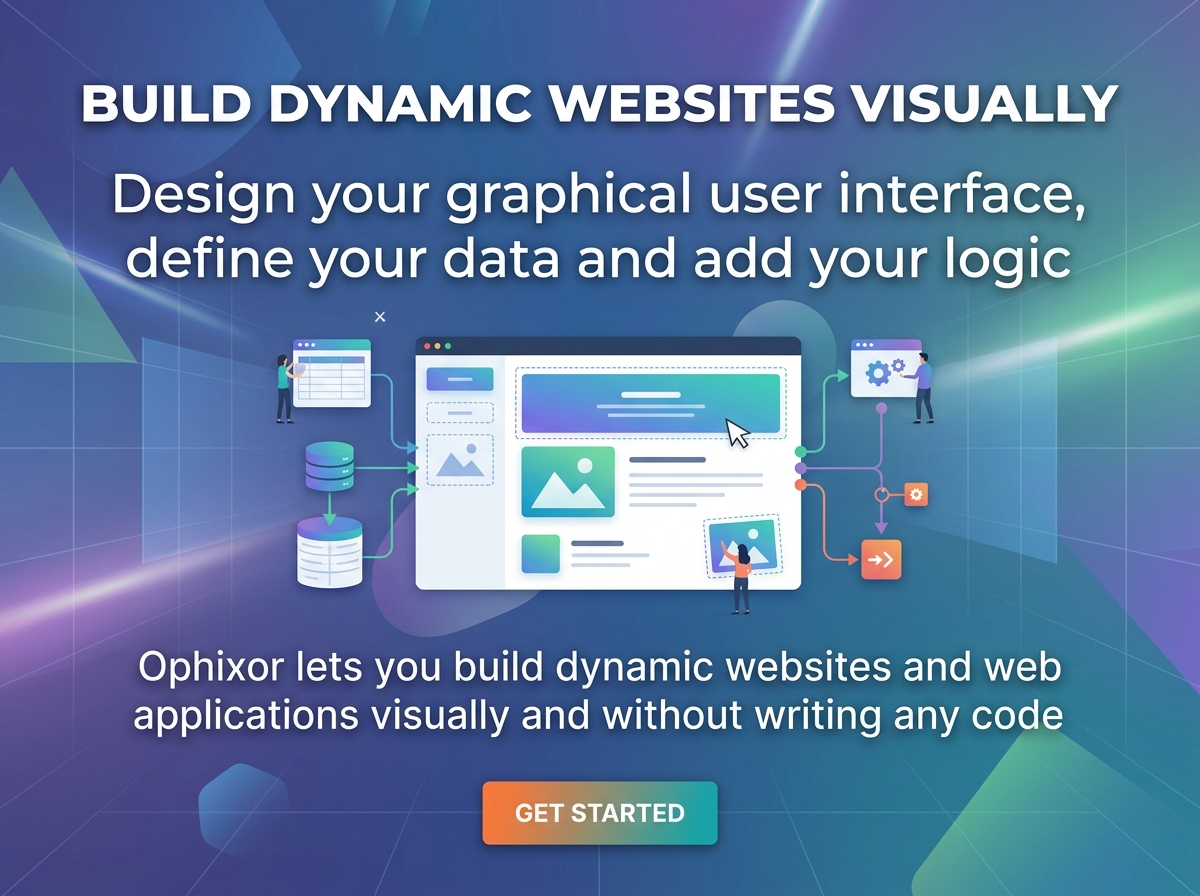
Build dynamic websites and web applications visually.Ophixor is a powerful platform designed for developers, designers and creators to build dynamic websites and web applications without writing any code. It offers a visual development environment directly within your web browser, streamlining the entire process from design to deployment.Visual Interface: Design your graphical user interface using a component-based system, akin to building with Lego blocks.Dynamic Functionality: Define your data structures using models and leverage expressions to create dynamic content. Attach data sources to components to render dynamic instances.Logic and Actions: Implement custom logic and operations through actions, allowing for complex user interactions and workflows.Real-time Capabilities: Utilize built-in WebSockets support to create applications with real-time data updates and features like chat.User Management: Easily integrate user authentication with built-in templates for signing up and signing in, or create your own custom systems.Customization: Modify global CSS variables for colors, shadows and typography to match your brand's aesthetic.Integration Ready: Define your own integrations to external data sources and services through configurable endpoints.Export Options: Export clean HTML, CSS and JavaScript for static versions of your pages, with an ongoing development of the export pipeline.Performance Focused: Ophixor prioritizes performance, ensuring fast loading times and smooth user experiences across all devices.Templates and Components: Reuse components and create custom templates to accelerate your development process.Ophixor aims to simplify the foundational aspects of building modern web applications, from the user interface to data persistence and user accounts. The platform is currently in beta and actively under development, with plans for personal and commercial subscription tiers offering increasing levels of features and scalability.There is currently no subscription system, but all new users will be given the plan Pro Gold for free when signing up. I'm currently looking for feedback, so anyone who wants to try it out and maybe give me some feedback can do so for free. I would appreciate that a lot. Thank you!

MadeWithStack is a professional and meticulously curated directory dedicated to showcasing reviewed agent-built and agent-native products. It serves as a trusted resource for discovering high-quality, stack-first solutions, ensuring reliability through a rigorous manual review process and transparent public trust signals. This platform is ideal for developers, businesses, and innovators seeking specialized AI and agent-based tools, as well as product owners looking to gain credibility and visibility for their agent-native offerings. Key Features Manually Reviewed Listings: Every product undergoes a thorough manual review before publication, ensuring quality and relevance. Stack-Centric Discovery: Easily browse and discover products based on their underlying technology stack, including AI Coding Tools, Agent Frameworks, and Models & Providers. Programmatic & Manual Submissions: Offers flexible submission options, allowing both manual form-based and API-driven programmatic submissions. Public Trust Signals: Listings are grounded in real evidence, providing transparency and building user confidence. Supporting Stack Evidence: Browse the technologies appearing across reviewed listings, providing insights into popular and emerging stacks. Use Cases For Developers and Businesses: Find and integrate reliable agent-built components like AI coding assistants (e.g., Cursor), autonomous engineers (e.g., Devin), or voice agent platforms (e.g., Vapi). The directory helps identify vetted tools that align with your tech stack, accelerating development and ensuring compatibility. For Product Owners: Submit your agent-built or agent-native product to gain exposure within a professional, curated environment. The manual review and public trust signals lend significant credibility, helping you reach a targeted audience who values quality and transparency. Pricing Information Submitting a product to the MadeWithStack directory is free, with no account required for programmatic submissions. The directory itself is freely accessible for browsing and discovering products. User Experience and Support The MadeWithStack platform offers a clean, intuitive interface for easy navigation and product discovery. Users can filter by category, view featured products, and explore recent approvals. "Docs" and "Contact" options are available for support and information. Technical Details While the directory's own tech stack isn't specified, it extensively categorizes and showcases products built with modern technologies. These include frameworks like Vercel and Next.js, backend solutions like Supabase, AI models such as Claude and GPT-4, and agent infrastructure like Pinecone and Helicone, highlighting its focus on cutting-edge development. Pros and Cons Pros: High-quality, manually reviewed listings; excellent for discovering agent-built products; strong focus on tech stack transparency; supports programmatic submissions; clear categorization. Cons: Relatively small number of listings (15 reviewed) as it's a growing platform; manual review might lead to longer approval times; niche focus on "agent-built" products. Conclusion MadeWithStack is an indispensable, trusted directory for anyone navigating the rapidly evolving landscape of agent-built and agent-native products. Its commitment to quality, transparency, and stack-centric discovery makes it an invaluable resource. Explore the catalog today to find your next innovative, stack-first solution and build with confidence.

Kabit is a comprehensive habit tracker app designed to empower individuals to build powerful streaks and improve their daily routines. With over 50,000 users, it provides a streamlined and motivating platform for achieving personal growth and consistency. Ideal for anyone seeking to establish and maintain positive habits, from busy professionals and parents to individuals looking for a simple yet effective tool to stay on track with their goals.Key FeaturesTrack any habit and build powerful streaks.Detailed performance analytics with habit calendars and reports.Beautifully simple and noise-free user experience.Interactive visual streak tracking for addictive consistency.Personalized experience with multiple themes and languages.Smart, adaptive reminders tailored to your schedule.Access to proven strategies and actionable tips.Widgets for quick habit tracking without opening the app.Use CasesUsers can leverage Kabit to establish and maintain daily routines, such as morning workouts or meditation practices, by providing visual motivation and consistent reminders. Its simplicity makes it perfect for busy individuals who need to track habits efficiently without getting bogged down by complex interfaces.The app's analytics help users understand their consistency patterns, allowing them to identify areas for improvement and celebrate their progress. Whether you're aiming for 60 days of a new habit or simply trying to incorporate more self-care, Kabit adapts to your needs, making habit formation feel less like a chore and more like an engaging journey.Pricing InformationKabit is available as a free habit tracker app, offering core functionalities to help users get started on their habit-building journey.User Experience and SupportKabit boasts a clean, intuitive design that prioritizes user focus on habit building. Its streamlined features ensure a "without noise" experience, making it easy to navigate and track progress. Support is accessible through a dedicated FAQ section and a "Contact us" option for further assistance.Technical DetailsWhile specific programming languages or frameworks are not detailed, Kabit functions as a mobile application, primarily noted for iOS, providing a robust and responsive user experience.Pros and ConsPros:Highly motivating visual streak tracking.Adaptive and customizable smart reminders.Clean, simple, and user-friendly interface.Comprehensive performance analytics.Supports personalized themes and languages.Offers widgets for convenient tracking.Provides expert strategies and tips.Cons:Specific pricing tiers (e.g., premium features) are not detailed in the provided text.No explicit mention of Android support, though "Download App" implies broader availability.ConclusionKabit stands out as an effective and engaging habit tracker, transforming the often-challenging process of habit formation into an enjoyable and rewarding experience. Its blend of simplicity, powerful features, and motivational design makes it an indispensable tool for anyone committed to personal improvement. Explore Kabit today and win your life, one habit at a time.

StitchDesk is an all-in-one AI-powered platform built to streamline and optimize the workflow of upholstery businesses. It centralizes every aspect of shop operations, from estimating fabric requirements and tracking project progress to managing inventory, scheduling jobs, and generating professional invoices.
Apogee Watcher is a comprehensive SaaS platform designed for agencies and solopreneurs to automate PageSpeed monitoring and Core Web Vitals tracking. It provides actionable insights, performance budgeting, and white-label reporting to help improve website performance and user experience. This tool is specifically tailored for technical leads, freelance developers, consultants, and in-house SEO/marketing teams managing multiple client websites or their own web properties.

Chore Wars: Gamified Chore Management for Couples Chore Wars is the #1 gamified chore tracking app designed exclusively for couples. It transforms mundane household tasks into engaging quests, fostering fair responsibility sharing and making housework genuinely enjoyable. Stop arguing about chores and start earning rewards together! Target Audience Ideal for couples, partners, and roommates seeking to manage household responsibilities efficiently, reduce conflicts, and add fun to daily tasks. Key Features AI-Powered Chore Suggestions: Uses NLP to estimate effort (XP), suggest assignments, recommend due dates, and determine photo proof. Photo Proof Verification System: Requires photo evidence for chore completion, reviewed by your partner, building trust and accountability. XP Rewards & Gamification: Earn points for tasks, spend them in a customizable reward store for incentives like "Breakfast in Bed." Built-In Couple Chat: Communicate seamlessly about tasks, share media, and send nudges within the app. Smart Calendar & Scheduling: Organizes daily, weekly, monthly, and one-time tasks with color-coded status indicators and due dates. Memory & Special Date Tracker: Tracks anniversaries and milestones with advance push notifications. Use Cases Chore Wars helps couples struggling with equitable chore distribution by providing a transparent system of photo verification and XP rewards, ensuring contributions are recognized. It enhances communication with a dedicated chat and nurtures relationships with an integrated memory tracker, fostering a more harmonious home environment. Pricing Information Chore Wars operates on a freemium model. All core features (AI suggestions, photo proof, XP rewards, chat, calendar, memory tracker) are completely free. An optional premium subscription removes ads and unlocks unlimited daily reward gifting. User Experience and Support The app features an intuitive interface and offline-first architecture with real-time delta sync. Intelligent push notifications keep users informed, and multi-language support ensures global accessibility. Support is available via "Contact Us." Technical Details Engineered for reliability, Chore Wars uses Realm database for local storage and Supabase for cloud syncing and real-time database subscriptions. Its AI features leverage natural language processing (NLP) for smart chore suggestions. Pros and Cons Pros: Designed specifically for couples, addressing unique relationship dynamics. Advanced AI for chore suggestions, effort estimation, and assignment. Unique photo proof verification system for accountability and trust. Comprehensive gamification with XP rewards and a customizable store. Integrated real-time chat and memory tracker for holistic relationship management. Full offline support with seamless real-time synchronization. Core features are completely free, offering high value without cost. Cons: Premium subscription required for ad removal and unlimited reward gifting. Effectiveness relies on active participation and verification from both partners. Initial setup of custom rewards might require some joint effort. Conclusion Chore Wars offers an unparalleled solution for couples seeking to transform household chores from conflict into a fun, collaborative game. With its innovative AI, robust gamification, and relationship-centric features, it provides everything needed to manage your home together enjoyably. Download Chore Wars today and start turning your household tasks into epic quests!

Ascripto is an innovative SaaS platform designed to ensure brand consistency and compliance in employee email signatures across Google Workspace and Microsoft 365. Unlike traditional signature tools that only enforce at creation, Ascripto uniquely audits *existing* signatures, identifying off-brand elements like old logos, missing disclaimers, or outdated job titles, and allows for one-click fixes. It targets any organization, from small teams to large enterprises, that values brand integrity and compliance in their email communications, with no seat minimums. Key Features Automated, permanent, and free audit of all existing email signatures. One-click remediation for off-brand signatures across Google Workspace and Microsoft 365. Seamless integration with Google Workspace (server-side) and Microsoft 365 (Outlook add-in/mail relay). No seat minimums, making it accessible for businesses of all sizes. Signatures reach both web and mobile email clients. Dedicated server deployments available for specific data residency requirements. Use Cases Ascripto is invaluable for companies striving for uniform brand representation. Imagine a marketing department launching a new brand identity; Ascripto can quickly scan all employee signatures to ensure the new logo and messaging are adopted, fixing any discrepancies instantly. For legal and HR departments, it guarantees that all outgoing emails include necessary legal disclaimers or updated job titles, mitigating compliance risks. It also solves the common "double signature" problem in Google Workspace by managing signatures server-side, ensuring a clean, consistent look. Furthermore, Ascripto helps maintain up-to-date contact information. If an employee is promoted or changes roles, Ascripto can detect and update their signature automatically, preventing outdated information from being sent to clients and partners. This proactive approach saves administrative time and reinforces a professional company image. Pricing Information Ascripto offers a compelling pricing model with a permanently free audit for any organization size. Paid plans for deploying and maintaining signature fixes start from an affordable €1 or $1 per seat per month. There are no seat minimums, with the smallest monthly bill set at €9 or $9, covering teams of up to nine users. A 14-day trial is available without requiring a credit card, allowing businesses to experience the full benefits risk-free. User Experience and Support Setting up Ascripto is straightforward, typically taking minutes to connect your directory and grant signature access. For Google Workspace, it operates server-side, meaning no user-side installation is required, and changes propagate to web and mobile clients. For Microsoft 365, an administrator deploys an Outlook add-in, which reads and sets signatures as users compose emails. Ascripto also offers dedicated virtual server deployments in chosen Azure regions for organizations with strict data residency needs, ensuring isolated and secure operations. Direct support is available via email at hello@ascripto.com. Technical Details Ascripto leverages the Google Workspace API for efficient, server-side signature management. For Microsoft 365, it navigates the complexities of EWS deprecation and Graph API limitations by utilizing an Outlook add-in for client-side signature reading and setting, alongside an optional outbound mail relay for comprehensive, app-agnostic signing. The platform is built on self-contained deployments, each with its own servers, database, and storage, offering robust and scalable infrastructure. Pros Unique "look back" audit feature for existing signatures. Comprehensive support for both Google Workspace and Microsoft 365. Flexible pricing with no seat minimums, ideal for small businesses. Free and permanent signature audit. Automated, one-click fixes for brand inconsistencies. Offers data residency options with dedicated server deployments. Cons Google Workspace client-side changes can be reverted by users (though audited). Microsoft 365 audit fills in as users write, not an instant full scan. Microsoft 365 add-in does not read signatures from replies, forwards, or non-Outlook apps. The optional mail relay introduces a dependency in the email sending path. Conclusion Ascripto provides an essential solution for organizations seeking to maintain impeccable brand consistency and compliance in their email communications. By offering a unique audit capability and effortless remediation across major email platforms, it fills a critical gap in existing signature management tools. Start your free audit today to discover the power of truly consistent email signatures.
Build dynamic websites and web applications visually.Ophixor is a powerful platform designed for developers, designers and creators to build dynamic websites and web applications without writing any code. It offers a visual development environment directly within your web browser, streamlining the entire process from design to deployment.Visual Interface: Design your graphical user interface using a component-based system, akin to building with Lego blocks.Dynamic Functionality: Define your data structures using models and leverage expressions to create dynamic content. Attach data sources to components to render dynamic instances.Logic and Actions: Implement custom logic and operations through actions, allowing for complex user interactions and workflows.Real-time Capabilities: Utilize built-in WebSockets support to create applications with real-time data updates and features like chat.User Management: Easily integrate user authentication with built-in templates for signing up and signing in, or create your own custom systems.Customization: Modify global CSS variables for colors, shadows and typography to match your brand's aesthetic.Integration Ready: Define your own integrations to external data sources and services through configurable endpoints.Export Options: Export clean HTML, CSS and JavaScript for static versions of your pages, with an ongoing development of the export pipeline.Performance Focused: Ophixor prioritizes performance, ensuring fast loading times and smooth user experiences across all devices.Templates and Components: Reuse components and create custom templates to accelerate your development process.Ophixor aims to simplify the foundational aspects of building modern web applications, from the user interface to data persistence and user accounts. The platform is currently in beta and actively under development, with plans for personal and commercial subscription tiers offering increasing levels of features and scalability.There is currently no subscription system, but all new users will be given the plan Pro Gold for free when signing up. I'm currently looking for feedback, so anyone who wants to try it out and maybe give me some feedback can do so for free. I would appreciate that a lot. Thank you!

The Escape Tsunami for Brainrots Calculator is a comprehensive, free online tool designed specifically for Roblox players of the popular game "Escape Tsunami for Brainrots." It empowers players to optimize their gameplay by providing real-time data and strategic insights, helping them maximize progress and dominate leaderboards. This tool is ideal for both new players seeking to survive their first wave and seasoned pros aiming for peak efficiency, offering a data-driven approach to game progression. Key Features Comprehensive Calculators: Includes Earnings (MPS), Rebirth Profit, Speed Requirement, Time Goal, and Advanced Multiplier calculators. Real-time Data & Accuracy: Provides personalized data tailored to your specific in-game situation, based on official game mechanics and community research. Strategic Rebirth Planning: Helps determine the optimal time for rebirths to maximize money multiplier gains. Zone Safety & Speed Checks: Instantly assesses if your speed is sufficient for target zones, preventing premature deaths. Brainrot Optimization: Assists in composing the best Brainrot team for maximum earnings. Mobile-Friendly & Accessible: Works seamlessly across all devices (desktop, mobile, tablet) without any downloads or installations. Use Cases Players can leverage the calculator to make informed decisions, such as determining the exact speed needed to safely enter a new zone or outrun specific tsunami types. It helps in planning upgrade paths by estimating the time required to reach financial goals, ensuring efficient AFK farming sessions. Furthermore, the tool is invaluable for optimizing Brainrot team compositions to achieve the highest Money per Second (MPS) and for strategically timing rebirths to maximize total income boosts. By accounting for all bonus sources like VIP, gamepasses, and event multipliers, it provides precise progress calculations, allowing players to fine-tune their strategy for maximum success. Pricing Information The Escape Tsunami for Brainrots Calculator is completely free to use. There are no registration requirements, hidden costs, or ads blocking the user experience, making it an accessible resource for the entire community. User Experience and Support Featuring a simple, clean, and intuitive interface, the calculator is designed for ease of use, ensuring important values stand out and unnecessary information is removed. It's fully responsive and works on all devices, providing accessibility on the go. While direct support channels aren't explicitly mentioned, the platform emphasizes regular updates based on community research and game changes, implying a responsive development approach. Technical Details This is a fan-made, web-based online tool. While specific programming languages or frameworks are not detailed, its cross-device compatibility suggests modern web development practices. It operates by applying official game mechanics and community-researched formulas to provide accurate, instant calculations directly in the browser. Pros and Cons Pros: Completely free with no hidden costs; Game-specific and highly accurate; Regularly updated with game changes; Mobile-friendly and accessible on all devices; Offers a comprehensive suite of 5 specialized calculators; Provides real-time, personalized data. Cons: Fan-made, not officially affiliated with Roblox or game developers; Lacks explicit, dedicated customer support channels (relies on community updates); Specific underlying technical stack details are not provided. Conclusion The Escape Tsunami for Brainrots Calculator stands as an indispensable companion for any player looking to gain a competitive edge. By removing guesswork and providing instant, accurate data, it empowers users to make smarter decisions, progress faster, and ultimately enhance their "Escape Tsunami for Brainrots" experience. Start optimizing your gameplay today and climb the leaderboards with confidence!

WiFi Mouse 6.0: Redefining Phone-to-PC ProductivityAfter reaching a milestone of 15 million downloads, we’ve completely reimagined what a wireless controller can be. Version 6.0 focuses on mission-critical performance.We optimized the HID simulation layer to achieve sub-50ms latency, making it a viable replacement for expensive industrial scanners. Whether you're managing a high-volume warehouse or just controlling your media center, our smart socket technology ensures a seamless, lag-free bridge between Android and Windows/Mac/Linux.15M+ users. 5 years of refinement. One ultimate tool.方案三:全能详情版 (适合软件库、下载站、自媒体介绍)特点: 功能全面,结构清晰,适合长阅读。WiFi Mouse - The Ultimate Wireless Bridge (15M+ Downloads)Join 15 million users who have turned their smartphones into the most powerful remote for their computers. WiFi Mouse is not just a wireless mouse; it's a complete productivity suite.What’s New in 6.0:• Professional Scanning: High-speed Barcode & QR code sync to PC/Excel—saving SMEs $200+ in hardware costs.• Zero-Lag Protocol: Rebuilt UDP engine for real-time response.• AI Smart Clipboard: Seamless text transfer between devices.Core Capabilities:• Full Mouse & Trackpad simulation (with Gyro support)• Wireless Keyboard with multi-language support• Remote App Launcher & Remote desktop & Media Controller• Game Controller modeExperience the reliability of a tool trusted by millions. Download the 6.0 evolution today.

DashNull is an advanced antidetect browser designed for secure and efficient multi-accounting across various online platforms. It enables users to manage an unlimited number of isolated browser profiles, preventing digital linkage and ensuring a clean digital footprint for each account. This powerful tool is ideal for marketers, affiliates, e-commerce sellers, and digital agencies seeking to scale operations without compromising security or privacy.Key FeaturesUnlimited Isolated Profiles: Create and manage unlimited local browser profiles, each acting as a separate device.Smart Fingerprint System: Automatically generates authentic digital fingerprints matching real devices, no manual setup.Advanced Proxy Support: Natively supports VLESS, VMess, Trojan, Hysteria 2, Shadowsocks, HTTP/HTTPS, and SOCKS5 UDP.Local Automation: Seamlessly integrates with Selenium, Puppeteer, or Playwright for workflow automation.100% Local Execution: All profile data and cookies are stored encrypted directly on your device for maximum privacy.Use CasesDashNull empowers marketing and media buying professionals to create ads from hundreds of accounts, safely farming and warming them up. E-commerce sellers can scale on Amazon, eBay, and Shopify by managing multiple seller accounts with clean separation. Digital agencies can easily manage client accounts on social networks, isolating client data securely. It's also optimized for affiliate marketing and dropshipping, preventing account linking across platforms.Pricing InformationDashNull offers a "Free Forever" Starter plan with 10 browser profiles and a Smart Fingerprint System, requiring no credit card. The Pro plan, at $50, provides unlimited browser profiles, local API automation, and priority support. Team/Enterprise plans are available for custom solutions.User Experience and SupportUsers praise DashNull's clean, modern interface and ease of use, requiring no complicated setup. Community support is available for Starter users, with Pro users receiving priority live support. The team is known for being responsive and attentive to user feedback.Technical DetailsThe application ensures privacy with 100% local execution; all profile data is stored encrypted on your device, never synced to the cloud. It includes a robust Local API for automation, compatible with Selenium, Puppeteer, and Playwright, and features an automatic Smart Fingerprint System.Pros and ConsPros: Unlimited profiles for a flat fee (Pro), comprehensive proxy support, enhanced privacy with local data storage, powerful local automation, user-friendly interface, cross-platform compatibility, responsive support.Cons: Advanced automation may require some technical understanding; free plan is limited to 10 profiles.ConclusionDashNull offers an indispensable solution for secure and efficient multi-account management. Its blend of advanced antidetect technology, robust proxy support, and local automation provides unparalleled control and privacy. Explore DashNull's free plan today to experience a faster, safer way to manage your digital footprints.
Build dynamic websites and web applications visually.Ophixor is a powerful platform designed for developers, designers and creators to build dynamic websites and web applications without writing any code. It offers a visual development environment directly within your web browser, streamlining the entire process from design to deployment.Visual Interface: Design your graphical user interface using a component-based system, akin to building with Lego blocks.Dynamic Functionality: Define your data structures using models and leverage expressions to create dynamic content. Attach data sources to components to render dynamic instances.Logic and Actions: Implement custom logic and operations through actions, allowing for complex user interactions and workflows.Real-time Capabilities: Utilize built-in WebSockets support to create applications with real-time data updates and features like chat.User Management: Easily integrate user authentication with built-in templates for signing up and signing in, or create your own custom systems.Customization: Modify global CSS variables for colors, shadows and typography to match your brand's aesthetic.Integration Ready: Define your own integrations to external data sources and services through configurable endpoints.Export Options: Export clean HTML, CSS and JavaScript for static versions of your pages, with an ongoing development of the export pipeline.Performance Focused: Ophixor prioritizes performance, ensuring fast loading times and smooth user experiences across all devices.Templates and Components: Reuse components and create custom templates to accelerate your development process.Ophixor aims to simplify the foundational aspects of building modern web applications, from the user interface to data persistence and user accounts. The platform is currently in beta and actively under development, with plans for personal and commercial subscription tiers offering increasing levels of features and scalability.There is currently no subscription system, but all new users will be given the plan Pro Gold for free when signing up. I'm currently looking for feedback, so anyone who wants to try it out and maybe give me some feedback can do so for free. I would appreciate that a lot. Thank you!

IntroductionSeatCanvas is an innovative online seating chart software designed to revolutionize event planning by replacing cumbersome manual methods with a visual, drag-and-drop canvas. It serves as a comprehensive solution for effortlessly organizing guest seating arrangements for a wide array of events.Target Audience & Use CasesThis powerful tool is perfect for event planners, couples, and organizers handling weddings, quinceañeras, corporate events, birthday parties, baby showers, gala dinners, and any gathering requiring assigned seating. It simplifies the complex task of guest organization, making event planning stress-free and efficient.Key FeaturesDrag & Drop Builder: Intuitively move guests and tables with smart collision detection for precise placement.CSV Guest Import: Easily upload thousands of guests from a spreadsheet or add them manually, keeping track of seated and unseated attendees.High-Quality Exports: Generate professional, print-ready layouts as PDF, PNG images, or CSV files for seamless sharing with vendors and records.Smart Seat AI Seating: Leverage AI to automatically seat guests based on relationships, age, and vibe, adhering to rules like keeping households together or specific pairs apart.Table and Layout Designer: Mix and match round and rectangular tables with adjustable seat counts to perfectly match your venue's setup.Cloud Save: Securely save your event plans with Google or Microsoft cloud integration.Use CasesSeatCanvas excels in various event scenarios. For weddings and quinceañeras, it helps manage intricate family dynamics, ensuring harmonious seating arrangements and preventing conflicts. Planners can easily group guests by relationship, age, or 'vibe', making the process of seating divorced parents or large families straightforward.In corporate events and gala dinners, SeatCanvas streamlines the organization of large guest lists, allowing for efficient grouping of colleagues, clients, or departments. It also facilitates the management of specific requirements like dietary needs, ensuring a professional and well-organized event. For any event with assigned seating, SeatCanvas eliminates the need for sticky notes and spreadsheets, providing a visual, interactive, and shareable plan that saves time and reduces stress.Pricing InformationSeatCanvas operates on a freemium model. The Free Tier allows unlimited guests in your list, seating for up to 40 guests, a preview of the Smart Seat AI, full canvas features, PDF & PNG exports, and cloud saving with Google or Microsoft, all without requiring a credit card. For larger events or full AI seating capabilities, the Event Pass is available for a one-time payment of $19.99 USD. This pass includes unlimited guest seating, full Smart Seat AI, all export options (PDF, PNG, CSV), access until 30 days after your event, and a 7-day refund guarantee. There are no subscriptions.User Experience and SupportSeatCanvas offers an exceptionally user-friendly experience, running entirely in your browser without any downloads or installations. Its intuitive drag-and-drop interface makes creating and modifying seating charts simple and enjoyable. The platform provides clear 'How-to' guides and a comprehensive FAQ section. Event Pass holders also benefit from priority support, ensuring quick assistance when needed.Technical DetailsSeatCanvas is a browser-based application, meaning it operates entirely online. This ensures accessibility from any laptop or tablet with an internet connection, providing a seamless experience without the need for specific software installations or complex configurations.Pros and ConsPros: Visual drag-and-drop interface; Powerful AI seating assistant (Smart Seat); Comprehensive guest list management; Multiple high-quality export options; Browser-based, no download required; Flexible freemium and one-time payment model; Supports a wide range of event types; Cloud save functionality.Cons: Free tier limited to 40 seated guests; Event Pass access is limited to 30 days post-event (data deleted after 60 days); Limited information on advanced table customization beyond round/rectangular.ConclusionSeatCanvas stands out as a robust and user-friendly seating chart software that significantly simplifies event planning. By combining intuitive visual tools with intelligent AI assistance, it offers an unparalleled solution for organizing guest seating. Explore SeatCanvas today to transform your event planning process and create perfect seating arrangements with ease.
GPTinf is an all-in-one AI writing toolkit. Humanize AI-assisted text with 8 writing modes, check it against 8 AI detection systems, scan for plagiarism with source links, paraphrase, test readability, and fix grammar. The AI Detector is free and unlimited. You can try it without signing up.
Apogee Watcher is a comprehensive SaaS platform designed for agencies and solopreneurs to automate PageSpeed monitoring and Core Web Vitals tracking. It provides actionable insights, performance budgeting, and white-label reporting to help improve website performance and user experience. This tool is specifically tailored for technical leads, freelance developers, consultants, and in-house SEO/marketing teams managing multiple client websites or their own web properties.

DigitalMagicWand™ helps you create amazing visuals, sound, videos, humanize AI text or detect AI in text using smart AI tools — no experience needed.

Geekflare API provides REST APIs for scraping, screenshots, DNS lookups, site load time, and more via a single plan.

Sparkfeed is an RSS reader for people, teams, and AI agents. It brings updates from the sources you follow into one workspace, including supported websites that don’t publish RSS feeds. Use it to follow your industry, research clients and competitors, find ideas for your next article, and give your team or AI assistant a shared library of sources to work with.Follow the sources that matter to your workBuild a reading list around the publications, company blogs, and research sources you want to hear from. Organize them by client, topic, competitor, or project so you can return to the right material when you need it.RSS and website feeds: Follow RSS and Atom feeds, plus supported websites without feeds.Source discovery: Find feeds from a website URL or explore curated source collections.Folders: Keep each client’s research or project’s reading list together.OPML import and export: Bring your existing subscriptions with you and export them when needed.Turn your reading into useful researchRead new articles, search your collection, and save the pieces worth revisiting. When you need to catch up or prepare something for work, ask Spark AI to help.Summarize articles and ask questions about collected content.Find relevant reading within your sources.Draft a digest or brief from selected articles.Review source activity, including publishing volume, quiet sources, and fetch failures.Give your team a shared starting pointShared workspaces let colleagues work from the same source library. Invite your team, organize sources into folders, and keep research available beyond one person’s tabs.An agency can maintain a watchlist for each client. A marketing team can follow competitor announcements and industry publications. A founder can keep up with a market, while a ghostwriter can collect relevant reporting and ideas for each client’s content.Connect your AI agentsYour source library is also available through MCP, the Model Context Protocol, and the REST API. Connected tools can search collected articles and retrieve their content using workspace-scoped API keys.That gives an AI assistant a specific set of sources to consult when helping with research, writing, or a weekly brief. Start free or host it yourself Sparkfeed offers a permanent Free plan for individual readers, Personal+ for people who need more capacity and agent access, and Pro for shared team workspaces. Enterprise options are available for larger teams.The open-source Community Edition is also available to self-host, with infrastructure and any AI-provider usage managed by you.
Build dynamic websites and web applications visually.Ophixor is a powerful platform designed for developers, designers and creators to build dynamic websites and web applications without writing any code. It offers a visual development environment directly within your web browser, streamlining the entire process from design to deployment.Visual Interface: Design your graphical user interface using a component-based system, akin to building with Lego blocks.Dynamic Functionality: Define your data structures using models and leverage expressions to create dynamic content. Attach data sources to components to render dynamic instances.Logic and Actions: Implement custom logic and operations through actions, allowing for complex user interactions and workflows.Real-time Capabilities: Utilize built-in WebSockets support to create applications with real-time data updates and features like chat.User Management: Easily integrate user authentication with built-in templates for signing up and signing in, or create your own custom systems.Customization: Modify global CSS variables for colors, shadows and typography to match your brand's aesthetic.Integration Ready: Define your own integrations to external data sources and services through configurable endpoints.Export Options: Export clean HTML, CSS and JavaScript for static versions of your pages, with an ongoing development of the export pipeline.Performance Focused: Ophixor prioritizes performance, ensuring fast loading times and smooth user experiences across all devices.Templates and Components: Reuse components and create custom templates to accelerate your development process.Ophixor aims to simplify the foundational aspects of building modern web applications, from the user interface to data persistence and user accounts. The platform is currently in beta and actively under development, with plans for personal and commercial subscription tiers offering increasing levels of features and scalability.There is currently no subscription system, but all new users will be given the plan Pro Gold for free when signing up. I'm currently looking for feedback, so anyone who wants to try it out and maybe give me some feedback can do so for free. I would appreciate that a lot. Thank you!
Introduction to Now & Here Now & Here is the pioneering geo-streaming application designed to connect users with live events and experiences happening in their immediate vicinity or across the globe. It transforms how we discover and share real-time content, offering a unique, location-aware streaming platform. Target Audience This innovative SaaS is ideal for individuals seeking local entertainment, content creators wanting to share their surroundings, event organizers promoting live happenings, and communities looking to foster local engagement. Key Features Live Geo-Tagged Streaming: Broadcast and view live video content tied to specific geographical locations. Interactive Map Discovery: Explore live streams and upcoming events on an intuitive, interactive map interface. Real-time Engagement: Interact with streamers and viewers through integrated chat and reaction features. Content Categorization & Search: Easily find relevant streams by category, keywords, or proximity. Privacy Controls: Manage who can view your streams and access your location data. Event Promotion Tools: Tools for organizers to schedule, promote, and manage geo-located live events. Use Cases Now & Here is perfect for capturing and sharing the vibrancy of local events, from concerts and festivals to community gatherings and protests, allowing those who can't be there physically to experience it virtually. Travelers can use it to discover authentic local experiences in real-time, getting a true feel for a destination before or during their visit. Beyond entertainment, the platform serves as a powerful tool for local businesses to showcase their offerings live, for journalists to report from the scene of breaking news, or for educational institutions to conduct virtual field trips. It fosters a sense of community by enabling neighbors to share updates, local alerts, or simply the beauty of their surroundings. Pricing Information Now & Here is expected to operate on a freemium model, offering core streaming and viewing functionalities for free, with premium features such as enhanced analytics, advanced promotion tools, or higher-quality streaming options available through subscription tiers. Details on specific plans and pricing will be available upon launch. User Experience and Support The application boasts a clean, intuitive user interface designed for seamless navigation and an engaging streaming experience on both web and mobile devices. Users can expect comprehensive in-app tutorials, a detailed FAQ section, and responsive customer support to assist with any queries or technical issues. Technical Details Built with modern web and mobile development frameworks, Now & Here leverages robust cloud infrastructure for scalable video streaming and real-time data processing. It incorporates advanced geolocation services and secure data handling protocols to ensure a reliable and private user experience. Pros and Cons Pros: Unique geo-location focus, real-time community engagement, diverse content discovery, intuitive interface, potential for local economic impact. Cons: Requires location access for full functionality, dependent on internet connectivity, potential for content moderation challenges, initial user base building. Conclusion Now & Here redefines live content sharing by bringing the world's events directly to your fingertips, wherever you are. It's an essential platform for anyone looking to connect with their local environment or explore global happenings in real-time. Discover the power of geo-streaming and explore Now & Here today!
LegesGPT is the #1 AI legal assistant designed to streamline legal workflows and provide instant, verified legal answers. It serves as an all-in-one legal companion, empowering legal professionals, business owners, and individuals to navigate complex legal issues with unprecedented efficiency.Key FeaturesAI Legal Chatbot: Get instant answers to legal questions with verified citations from comprehensive databases.Case Law Research: Access and search millions of court cases with advanced AI reasoning for complex scenarios.Legal Document Review: Upload, analyze, chat with documents, identify risks, and get instant summaries of contracts and agreements.Verified Answers & Citations: Receive accurate, well-structured legal guidance with precise citations to real sources.Up-to-Date Legal Data: Access the latest published legal articles and real-time web search capabilities.Use CasesLegesGPT significantly benefits legal professionals by accelerating research, allowing them to find relevant case law in minutes instead of hours, and reviewing documents faster and more efficiently. Law firms can scale their practice, streamline document review processes, and improve client service, ultimately handling more cases.Business owners can leverage LegesGPT to review contracts, understand legal obligations, and generate custom agreements instantly, making informed decisions without the need for expensive consultations. Individuals can get clear answers to everyday legal questions, understand their rights, and confidently handle personal legal matters. The platform's ability to analyze documents, identify risks, and provide instant summaries makes it invaluable for anyone dealing with legal paperwork.Pricing InformationLegesGPT offers a tiered pricing model including Basic ($13.99/month), Plus ($34.99/month), and Premium ($69.99/month) plans, billed annually. All plans include a 3-day free trial with a $1 activation fee. An Enterprise option is available for custom solutions, dedicated support, and tailored features for larger organizations.User Experience and SupportThe platform is designed for ease of use, allowing users to upload documents and ask questions in plain language without complex legal jargon. It provides well-structured legal guidance that is easy to review and export. Standard and Priority Support options are available depending on the chosen plan, ensuring users can get assistance when needed.Technical DetailsWhile specific programming languages or frameworks are not detailed, LegesGPT leverages advanced AI models and real-time web search capabilities to process queries and analyze legal data. Its robust infrastructure supports access to millions of legal documents, cases, statutes, and articles from multiple jurisdictions.Pros and ConsPros:Specialized legal knowledge base, superior to general AI.Tailored analysis for specific jurisdictions.Provides accurate, verified information with precise citations.Access to up-to-date legal data and real-time web search.Comprehensive database of cases, statutes, and articles.Designed for various user types: professionals, businesses, individuals.Cons:3-day free trial requires a $1 activation fee.Specific UI/UX details not explicitly mentioned, though ease of use is implied.No explicit mention of offline capabilities.ConclusionLegesGPT stands out as a powerful AI legal assistant, offering unparalleled accuracy, speed, and comprehensive legal insights. By automating research, document review, and legal Q&A, it significantly boosts productivity and ensures reliable legal guidance for all users. Explore LegesGPT today to revolutionize your legal workflow and experience the difference.
Apogee Watcher is a comprehensive SaaS platform designed for agencies and solopreneurs to automate PageSpeed monitoring and Core Web Vitals tracking. It provides actionable insights, performance budgeting, and white-label reporting to help improve website performance and user experience. This tool is specifically tailored for technical leads, freelance developers, consultants, and in-house SEO/marketing teams managing multiple client websites or their own web properties.

Onlycrave: Monetize Your Content & Connect with Fans Onlycrave is a premier creator-centric subscription platform designed for independent content creators to monetize exclusive content and foster direct fan engagement. It provides a secure infrastructure for influencers, educators, and digital artists to host premium digital products behind a paywall, ensuring sustainable income and brand ownership. Target Audience & Use Cases Onlycrave caters to a diverse range of creators, including influencers, educators, digital artists, coaches, and anyone looking to monetize their digital presence. It's ideal for those seeking direct fan support, secure content monetization, and freedom from algorithmic interference. Creators can publish high-quality videos, photos, and digital downloads, setting their own pricing for monthly subscriptions, pay-per-view (PPV) posts, and tips. Specific use cases include: Influencers & Lifestyle Creators: Offering exclusive behind-the-scenes content, tutorials, or personal insights to a dedicated fanbase. Educators & Coaches: Hosting premium courses, workshops, or digital guides securely behind a paywall. Artists & Musicians: Selling exclusive art, music tracks, or digital downloads directly to their audience without intermediaries. Niche Content Creators: Providing a safe, uncensored environment for content across various niches, from fitness to NSFW, ensuring full control over visibility and revenue streams. Key Features Secure Content Paywall: Host premium videos, photos, and digital downloads behind a secure paywall. Flexible Monetization: Offer monthly subscriptions, pay-per-view (PPV) posts, and direct tips. Direct Fan Interaction: Tools for engaging directly with subscribers and building a community. Transparent Revenue Share: Industry-leading revenue share with low commissions and secure, fast payouts. Content Freedom: A no-judgment, uncensored environment supporting all content niches without algorithmic interference or de-platforming fears. Creator Control: Maintain 100% ownership of your brand, content guidelines, and community engagement. Pricing Information Onlycrave operates on a freemium model for creators, allowing them to "Get Started for Free" and set up their accounts. The platform features a transparent revenue share, including a 12% platform fee on earnings, which is presented as a low commission. An Earnings Simulator is available to help creators estimate potential monthly income based on followers and subscription rates. User Experience and Support The platform emphasizes ease of use, allowing creators to verify identity and set up subscription tiers "in minutes." It provides robust tools for subscription management, direct fan interaction, and secure payouts. Onlycrave prioritizes transparency with its billing system and offers various policies (Privacy, Cookies, Creator Agreement, Terms of Service) for user reference. A "Contact us" option is available for support. Technical Details While specific programming languages or frameworks are not explicitly mentioned, Onlycrave utilizes advanced encryption and secure paywalls to protect digital products and ensure content is accessible only to verified subscribers. It supports direct bank transfers and several international payment gateways for efficient payout processing. Pros and Cons Pros: Creator-centric platform with strong emphasis on ownership and control. Secure paywall and flexible monetization options (subscriptions, PPV, tips). Transparent revenue share with low platform fees (12%). Supports a wide range of content niches, including uncensored options. Direct fan interaction and community building tools. Fast and secure payouts via direct bank transfers and international gateways. Easy setup and management for creators. Cons: Specific technical stack details are not provided, which might be a consideration for some developers. While 12% is presented as low, it is still a platform fee on earnings. No explicit mention of advanced analytics or marketing tools beyond basic engagement. The platform's "no-judgment policy" for NSFW content might not appeal to all brands or creators. Conclusion Onlycrave stands out as a robust and creator-friendly platform empowering individuals to monetize their exclusive content and build dedicated fan communities. With its focus on transparency, security, and content freedom, it offers a compelling solution for creators seeking to take full control of their digital presence and revenue streams. Explore Onlycrave today to unlock your content's potential and connect directly with your audience.

Raise your Ahrefs Domain Rating with 5 - 50 dofollow backlinks from DR 30–60 sites — from $50, guaranteed to improve your DR or your money back.

A launch platform for builders —> Get discovered, get a backlink.
Get your brand featured here
Subscribe to our newsletter to get the best products weekly.