
Introduction:
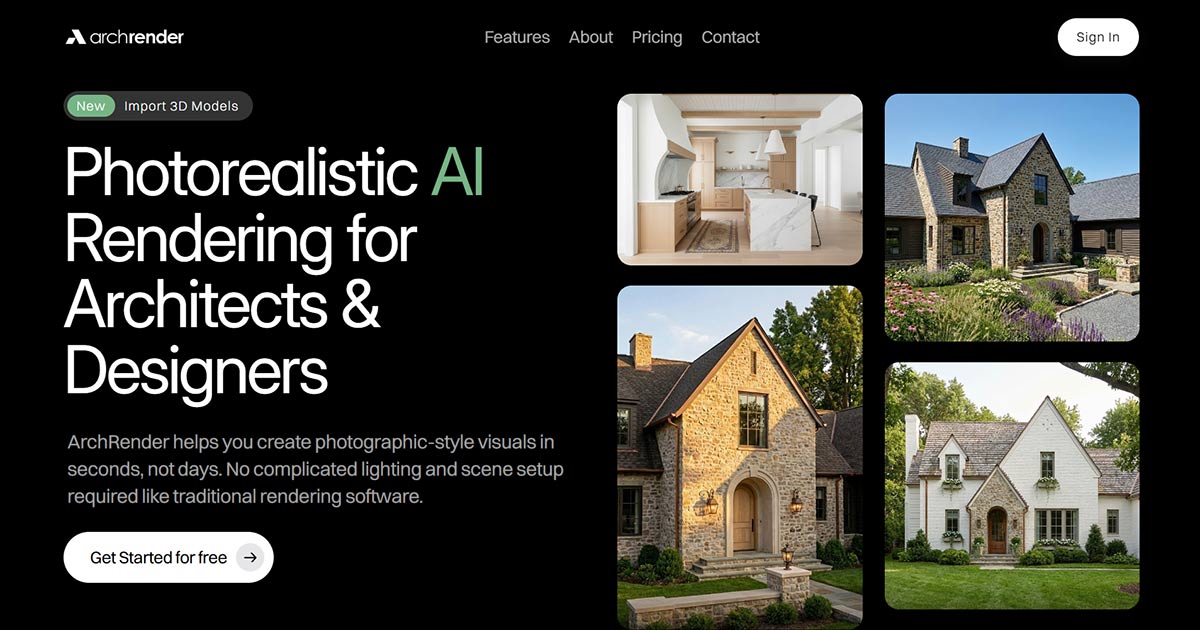
ArchRender is an AI-powered rendering platform for architects and designers, generating photorealistic architectural visuals in seconds. It eliminates complex lighting and scene setups, making high-quality rendering accessible and fast.
Target Audience:
Ideal for architects, interior designers, and visualization professionals, ArchRender helps quickly produce photographic-style renders for presentations, client proposals, and design iterations.
Key Features:
Use Cases:
ArchRender streamlines design visualization. Architects can quickly generate multiple design options, showcasing projects in various seasons or lighting. Designers leverage mood boards to ensure renders capture desired aesthetics. The platform's project-based workflow allows seamless iteration and version control, simplifying design exploration and refinement, ultimately accelerating decision-making and enhancing communication.
Pricing Information:
ArchRender offers a freemium option, with paid plans available monthly or annually (20% discount). "Basic" is $29/month (yearly) for 150 credits, "Pro" is $49/month (yearly) for 300 credits, and "Studio" is $119/month (yearly) for 1000 credits. All paid plans include 3D model import and 4K upscaling.
User Experience and Support:
The platform features a simple workflow: render/edit, set style/prompt (or upload mood board), then generate and iterate. No prior rendering experience is required. Basic support is included with the "Basic" plan, with priority support for "Pro" and "Studio" subscribers.
Technical Details:
ArchRender utilizes advanced AI for its rendering capabilities, transforming 3D models (OBJ, FBX, GPL) into photorealistic images. The system handles complex visual interpretations, from environmental conditions to stylistic mood boards, all via a user-friendly interface.
Pros and Cons:
Conclusion:
ArchRender is a powerful, accessible tool for architects and designers to revolutionize their visualization workflow. Combining speed, quality, and ease of use, it empowers professionals to create stunning renders and iterate on designs with unprecedented efficiency. Explore ArchRender today to transform your architectural concepts into captivating visuals.
ArchRender is an AI-powered rendering platform for architects and designers, generating photorealistic architectural visuals in seconds. It eliminates complex lighting and scene setups, making high-quality rendering accessible and fast.
Target Audience:
Ideal for architects, interior designers, and visualization professionals, ArchRender helps quickly produce photographic-style renders for presentations, client proposals, and design iterations.
Key Features:
- Photorealistic AI Rendering: Rapidly generate stunning visuals without intricate setup.
- 3D Model Import: Supports OBJ, FBX, and GPL for seamless integration.
- Environmental Controls: Adjust season, time of day, and surrounding environments.
- Mood Board Integration: AI interprets styles from inspiration boards for render application.
- 4K Upscaling: Enhance any render to crisp, high-resolution 4K.
- Prompt-Driven Control: Use natural language to guide materials, style, mood, and lighting.
- Project-Based Workflows: Organize all renders and source files for efficient management.
Use Cases:
ArchRender streamlines design visualization. Architects can quickly generate multiple design options, showcasing projects in various seasons or lighting. Designers leverage mood boards to ensure renders capture desired aesthetics. The platform's project-based workflow allows seamless iteration and version control, simplifying design exploration and refinement, ultimately accelerating decision-making and enhancing communication.
Pricing Information:
ArchRender offers a freemium option, with paid plans available monthly or annually (20% discount). "Basic" is $29/month (yearly) for 150 credits, "Pro" is $49/month (yearly) for 300 credits, and "Studio" is $119/month (yearly) for 1000 credits. All paid plans include 3D model import and 4K upscaling.
User Experience and Support:
The platform features a simple workflow: render/edit, set style/prompt (or upload mood board), then generate and iterate. No prior rendering experience is required. Basic support is included with the "Basic" plan, with priority support for "Pro" and "Studio" subscribers.
Technical Details:
ArchRender utilizes advanced AI for its rendering capabilities, transforming 3D models (OBJ, FBX, GPL) into photorealistic images. The system handles complex visual interpretations, from environmental conditions to stylistic mood boards, all via a user-friendly interface.
Pros and Cons:
- Pros:
- Extremely fast photorealistic rendering without complex setup.
- AI-driven controls for style, mood, and materials.
- Seamless 3D model import and 4K upscaling.
- Comprehensive environmental and time controls.
- Efficient project and version management.
- Cons:
- Credit-based system might require careful management for high-volume users.
Conclusion:
ArchRender is a powerful, accessible tool for architects and designers to revolutionize their visualization workflow. Combining speed, quality, and ease of use, it empowers professionals to create stunning renders and iterate on designs with unprecedented efficiency. Explore ArchRender today to transform your architectural concepts into captivating visuals.
Comments
Publisher

Launch Date2026-07-09
Platformweb
Pricingfreemium
Tech Stack
#AI#3D#Render
Sponsors

Boost Domain Rating
Get high-quality backlinks from trusted directories and climb your Ahrefs Domain Rating faster

Nick Launches
A launch platform for builders —> Get discovered, get a backlink.
Allwebforms
Build free online forms, surveys, and lead funnels with Allwebforms. No-code builder with AI, email alerts, and 300+ integrations. Advanced Visitor analysis, notifications, Online visitors, Submission-started notifications, and more.
Become a Sponsor
Get your brand featured here
Outbid
View🥇 🥈
🥈 🥉
🥉
Want this spot? Pay what you wantBoost Domain Rating - Boost Domain Rating is a platform to discover and upvote the best tech products. Find top products launching daily.
Boost Domain Rating is a platform to discover and upvote the best tech products. Find top products launching daily.
$35
DirEasy - The Best Directory Boilerplate with AI | DirEasy
The best directory boilerplate, packed with AI, Listings, Payment, Submission, CMS, Blog, Authentication, Newsletter, SEO and more.
$30
Quiz Shot - Solve Any Screenshot Question in Seconds.
AI Study Assistant that answers any screenshot question. Get free AI tutor and step-by-step math and homework help with ChatGPT.
$25