
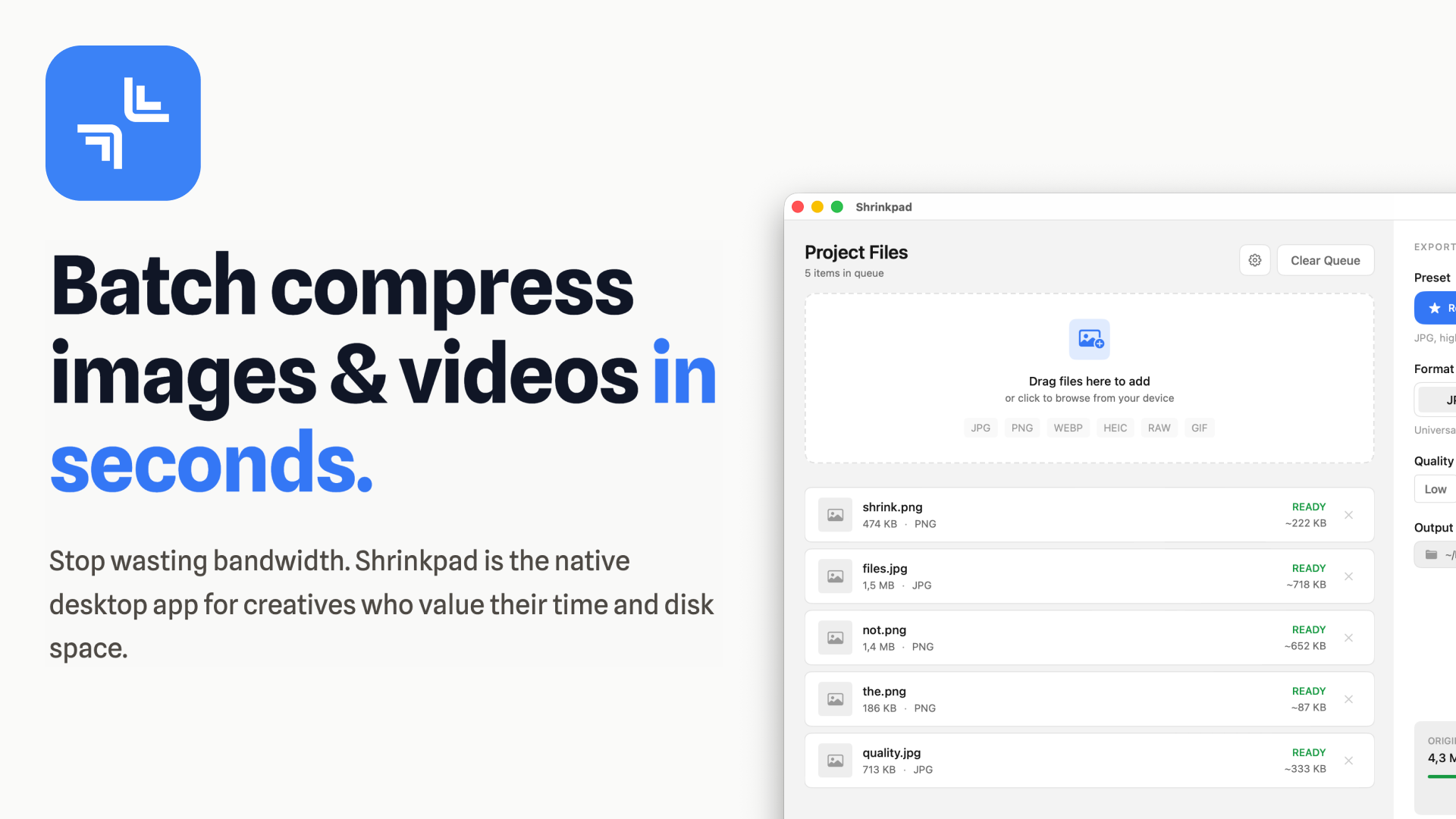
Shrinkpad is a powerful, native desktop application for macOS designed to batch compress images and videos efficiently. It's the ultimate tool for creatives, designers, developers, and photographers who need to optimize their digital assets without compromising quality or privacy.
Targeted at professionals and teams, Shrinkpad helps reduce app bundle sizes, accelerate website load times, and reclaim valuable disk space by intelligently shrinking media files.
Key Features
- Smart Compression: Automatically analyzes visual complexity to apply optimal compression ratios, ensuring high quality without artifacts.
- Unlimited Batch Processing: Process thousands of images and videos in a single queue without crashing, unlike web-based alternatives.
- Folder Mode: Simply drag and drop an entire folder to automatically detect and add all supported media files for one-click compression.
- Workflow Automation: Includes auto-renaming, subfolder support, and metadata stripping to streamline asset management.
- Privacy First: All processing occurs locally on your Mac, guaranteeing your sensitive files never leave your device or get uploaded to the cloud.
- Lightning Fast: Optimized for Apple Silicon, enabling multi-threaded compression to process large batches in minutes.
Use Cases
Shrinkpad is invaluable for web developers and designers looking to significantly improve website performance. By compressing hero images, product shots, and video backgrounds, users can achieve faster LCP (Largest Contentful Paint) scores and reduce bandwidth consumption. It eliminates the tedious manual export and optimization process from design tools like Figma or Photoshop, allowing users to export everything at high resolutions (e.g., 2x/4x) and let Shrinkpad handle the bulk optimization and renaming.
For photographers and videographers, Shrinkpad offers a robust solution for managing large media libraries. It supports over 30 image formats, including RAW (CR2, NEF, ARW, DNG, etc.), and all major video formats (MP4, MOV, M4V, AVI, MKV). This allows professionals to quickly optimize entire project folders, saving gigabytes of disk space while preparing assets for client delivery or online portfolios.
Pricing Information
Shrinkpad operates on a freemium model with a transparent, one-time payment structure, avoiding subscriptions. A Free Starter tier allows compression of up to 10 files per batch for common formats. The Personal license, priced at $14, offers unlimited batch processing, all formats (including RAW and video), and no file size limits for one device. The Team license, at $35, extends these benefits to 10 devices with priority support. All paid licenses come with a 7-day money-back guarantee.
User Experience and Support
Designed as a native macOS application, Shrinkpad offers an intuitive drag-and-drop interface, making it incredibly easy to use. Its "Folder Mode" simplifies the import process, allowing users to quickly get started with large batches. Support is available via email at support@shrinkpad.app, with Team license holders receiving priority assistance for any questions or feature requests.
Technical Details
Shrinkpad is built natively for macOS 13 Ventura and newer, ensuring optimal performance on both Apple Silicon (M1, M2, M3, M4) and Intel Macs. Its architecture is optimized for local processing, leveraging multi-threading to handle intensive compression tasks directly on the user's machine. It supports a comprehensive range of formats including JPG, PNG, WEBP, AVIF, HEIC, TIFF, GIF, BMP for images, and MP4, MOV, M4V, AVI, MKV for videos, alongside numerous RAW camera formats.
Pros
- Native macOS app, highly optimized for Apple Silicon.
- Ensures complete privacy with 100% local processing.
- One-time payment model, no recurring subscriptions.
- Supports a vast array of image and video formats, including RAW.
- Efficient "Folder Mode" and automated smart compression.
- Significant savings in disk space and bandwidth.
Cons
- Exclusively available for macOS, limiting cross-platform use.
- Free tier has strict limitations on batch size and file types.
- No mention of advanced image editing features beyond compression.
Conclusion
Shrinkpad stands out as an essential tool for anyone working with digital media on macOS, offering unparalleled speed, privacy, and efficiency in batch image and video compression. Its smart automation and robust feature set make it a valuable asset for optimizing workflows and improving digital asset performance. Explore Shrinkpad today to reclaim your disk space and boost your productivity.
Comments
Publisher

Launch Date2026-04-04
Platformdesktop
Pricingfreemium
Tech Stack
#SwiftUI
Sponsors

Boost Domain Rating
Get high-quality backlinks from trusted directories and climb your Ahrefs Domain Rating faster

Nick Launches
A launch platform for builders —> Get discovered, get a backlink.
Become a Sponsor
Get your brand featured here
Outbid
View🥇 🥈
🥈 🥉
🥉
Want this spot? Pay what you wantBoost Domain Rating - Boost Domain Rating is a platform to discover and upvote the best tech products. Find top products launching daily.
Boost Domain Rating is a platform to discover and upvote the best tech products. Find top products launching daily.
$35
DirEasy - The Best Directory Boilerplate with AI | DirEasy
The best directory boilerplate, packed with AI, Listings, Payment, Submission, CMS, Blog, Authentication, Newsletter, SEO and more.
$30
Quiz Shot - Solve Any Screenshot Question in Seconds.
AI Study Assistant that answers any screenshot question. Get free AI tutor and step-by-step math and homework help with ChatGPT.
$25